Table of Contents >> Show >> Hide
- Why Facebook Video Search Feels Confusing Sometimes
- 1. Use the Facebook Search Bar for Specific Videos
- 2. Browse the Video Tab for Personalized Recommendations
- 3. Jump Into Reels for Quick, Addictive Video Watching
- 4. Save Videos to Watch Later
- 5. Look for Live Videos When You Want Real-Time Content
- 6. Check Your Watch History to Find Lost Videos Again
- Simple Tips to Make Watching Facebook Videos Better
- Conclusion
- What the Facebook Video Experience Feels Like in Real Life
- SEO Tags
Note: Menu names and icon locations can vary slightly depending on whether you are using Facebook on desktop, iPhone, or Android, but the overall methods below still work.
Facebook is a little bit like a giant attic. There is a treasure in there somewhere, but first you have to step over old birthday posts, mystery memes, and that one aunt’s blurry vacation album from 2017. The good news is that finding and watching videos on Facebook is much easier once you know where to look. The even better news is that you do not need to scroll your life away like a social-media archaeologist.
Whether you want funny Reels, cooking tutorials, livestreams, sports clips, creator content, or that one video you saw five minutes ago and instantly lost to the algorithm, there are several simple ways to track it down. Some are built for discovery. Others are better for rewatching something you already found. And a few are perfect when Facebook decides to act like your favorite clip never existed.
In this guide, you will learn six easy ways to find and watch videos on Facebook, plus a few practical tips to make the whole experience less chaotic and more useful. If Facebook video hunting has ever felt like chasing a raccoon through a hedge maze, this article is your flashlight.
Why Facebook Video Search Feels Confusing Sometimes
Part of the confusion comes from Facebook’s evolving design. Older guides often talk about Facebook Watch and a Watchlist. Newer versions of Facebook lean more heavily on the Video tab and the Saved section. Add Reels, Live videos, creator pages, groups, and personalized recommendations into the mix, and it is easy to feel like you need a map and a sandwich.
That is why the smartest approach is not using just one tool. Instead, use the method that matches what you are trying to do. Looking for something specific? Search is your best friend. Want to browse without a plan? The Video tab and Reels do the heavy lifting. Trying to find a clip you already liked or meant to watch later? Saved items and watch history are the heroes of the story.
1. Use the Facebook Search Bar for Specific Videos
If you already know what you want, the search bar is the fastest way to find videos on Facebook. This works especially well when you remember a creator name, a topic, a page title, or even a phrase from the caption.
How it works
Type a keyword into Facebook Search, then look through the results for videos, creators, pages, or live content tied to that term. For example, searching for air fryer chicken recipe, NBA highlights, or Golden Retriever training tips usually gives you a much cleaner path than blindly scrolling your feed and hoping the algorithm suddenly becomes your personal assistant.
Why this method is useful
This is the best method when you are trying to find a specific subject fast. It is also handy when you want public videos from pages and creators you do not follow yet. Instead of waiting for Facebook to guess your interests, you tell it exactly what you want. Revolutionary, really.
Pro tip
Use more specific search phrases if the first results are too broad. Searching cake is like yelling into the void. Searching easy vanilla birthday cake tutorial is much more likely to get you somewhere useful.
2. Browse the Video Tab for Personalized Recommendations
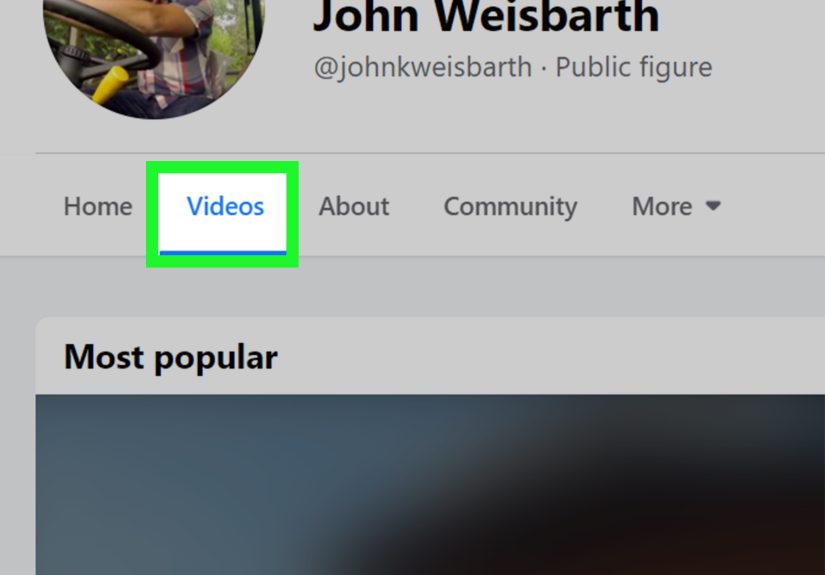
If you are in discovery mode rather than detective mode, head to the Video tab. This is Facebook’s main hub for video content and one of the easiest places to watch a mix of short clips, longer videos, and live content in one place.
What you will find there
The Video tab is built to recommend content based on your interests, activity, and engagement. In plain English, if you watch one sourdough tutorial, Facebook may decide you are now spiritually committed to yeast forever. That can be helpful when the recommendations match your interests, and slightly unhinged when they do not.
You will often see a blend of Reels, longer videos, trending topics, and livestreams. This makes the Video tab a strong option when you want to browse casually, catch up on popular clips, or explore categories without needing an exact search term.
Best use case
Use the Video tab when you want to discover new content rather than locate one exact video. It is also a good place to sit back and let Facebook serve you a buffet of videos based on what you have watched before.
3. Jump Into Reels for Quick, Addictive Video Watching
If you want quick entertainment, bite-sized tutorials, or endless short clips that somehow consume forty-five minutes of your life in what feels like six seconds, Reels is where Facebook shines. Or where your productivity goes to die. Possibly both.
Why Reels are easy to watch
Reels are designed for fast swiping and instant viewing. You tap into one, then keep scrolling vertically through a stream of short-form videos. This is great for humor, beauty tips, mini recipes, travel clips, sports reactions, and creator content that gets straight to the point.
How to make Reels more useful
When you find a Reel you actually want to revisit, do not trust your memory. Save it. Facebook makes short-form content feel casual and disposable, which is exactly why so many people lose the clips they wanted to watch again later. A quick save now can prevent a dramatic and unnecessary “What was that video called?” crisis later.
Reels also work well when you do not want a long commitment. You can watch during a coffee break, in line at the store, or while pretending to fold laundry. The laundry, of course, knows the truth.
4. Save Videos to Watch Later
This is one of the most useful Facebook video features, and also one of the most underused. If you come across a video you want to watch later, tap the three-dot menu on the post and choose Save video or Save reel. That sends it to your Saved section, which acts like a personal bookmark folder inside Facebook.
Why Saved is so helpful
Saved videos are perfect for those moments when you are busy, in public, low on battery, or simply not ready to hear a stranger explain how to build a backyard pizza oven at full volume. Instead of losing the post forever, you store it and come back when you actually have time.
How to use it well
Do not just save everything like a digital squirrel preparing for winter. Use Saved intentionally. If you can, sort content mentally by purpose: recipes, workouts, tutorials, funny clips, home projects, or livestream replays. Facebook may not always feel organized, but you can be.
This method is especially good for longer videos. Reels are easy to sample on the fly, but a 20-minute how-to video deserves a time slot, a snack, and maybe a notebook.
5. Look for Live Videos When You Want Real-Time Content
Facebook is still a strong place for Live videos, especially for communities, events, creator Q&As, local coverage, church services, product demos, and sports discussion. If what you want is happening right now, or recently happened, Live is worth checking first.
Why Live stands out
Live video feels more immediate than regular posts because it includes real-time comments, reactions, and a sense that you are watching something unfold with other people. It is less polished and often more human. Sometimes that means authentic. Sometimes that means someone forgetting where they put their microphone. Welcome to the internet.
How to find Live content
You can search for a topic and narrow the results, browse through the Video section, or keep an eye on pages and creators you follow. If you are interested in breaking news, sports commentary, local events, or community updates, Live content can be one of the fastest ways to find relevant video on Facebook.
A practical caution
Do not assume a Live replay will stay there forever. If you really want to revisit a broadcast later, save it while it is available. Facebook’s treatment of Live archives has changed over time, so it is smart to act quickly when a replay matters to you.
6. Check Your Watch History to Find Lost Videos Again
Now we arrive at the rescue mission: the video you watched, enjoyed, forgot to save, and then lost the second you refreshed your feed. This is where watch history or videos you’ve watched becomes incredibly useful.
When this method helps most
Use watch history when you remember seeing a video but do not remember the creator, caption, or exact topic. Maybe it was a funny dog clip, a gadget review, or a cake-decorating tutorial you meant to try later. If you watched it recently, your activity history may help you find it again.
Why it matters
This is the closest thing Facebook has to a “Wait, go back, I wasn’t done with that” button. Instead of trying random keywords and praying for a miracle, you can retrace your own steps.
For many users, this is the most underrated way to find Facebook videos. It is not as flashy as Reels or as obvious as Search, but it is excellent for recovering something you already watched and accidentally abandoned to the algorithm gods.
Simple Tips to Make Watching Facebook Videos Better
Turn Saved into a habit
If a video matters, save it immediately. This one habit solves most “I cannot find that Facebook video” problems before they begin.
Be specific with searches
Vague terms produce vague results. Use creator names, subjects, and descriptive phrases to improve your odds.
Use Reels for fast discovery, Saved for serious viewing
Reels are excellent for sampling. Saved is better for anything you genuinely want to revisit or finish later.
Watch Live content sooner rather than later
If a livestream replay matters, do not wait forever. Availability can change.
Adjust playback settings if needed
If autoplay, sound, or data use is driving you up the wall, check your media settings. Sometimes the best Facebook video tip is not “find better videos,” but “stop the app from shouting at you in public.”
Conclusion
Finding and watching videos on Facebook is much easier when you stop treating the platform like one giant random feed. Use Search when you know what you want. Use the Video tab when you want Facebook to surface recommendations. Use Reels when you want quick entertainment. Use Saved when you want to watch later without losing the post. Use Live when you want timely, real-time content. And use watch history when Facebook has done that deeply charming thing where it hides the exact clip you were just enjoying.
Once you know these six methods, Facebook becomes less of a maze and more of a tool. Not a perfect tool, mind you. But definitely less “digital junk drawer” and more “video library with occasional chaos.” And in the world of social media, that is a respectable win.
What the Facebook Video Experience Feels Like in Real Life
In real-world use, Facebook video watching is often less about one perfect feature and more about how different features work together. Most people do not open Facebook with a beautifully organized viewing strategy. They open it because they have a spare moment, they are curious about what friends are posting, or they vaguely remember seeing a clip they wanted to revisit. That is what makes these six methods so practical. They match the messy way people actually use social media.
For example, imagine you are on your lunch break and a friend shares a funny cooking video. You do not have time to watch the whole thing, so you save it. Later that evening, you open your Saved section, find the clip in seconds, and watch it without needing to scroll through a hundred unrelated posts. That feels simple, but it is exactly the kind of small convenience that makes Facebook more usable.
Or maybe you are following a local community page during a storm, election night, school event, or neighborhood celebration. In that case, Live videos become more valuable than polished pre-recorded clips. You are not watching for perfect production. You are watching for immediacy. You want updates, reactions, and context as events unfold. Facebook Live still works well in those situations because it feels connected to real people rather than just generic content.
Reels create a totally different experience. They are quick, casual, and strangely hypnotic. One moment you are watching a 20-second cleaning trick. The next moment you are learning how to make Korean toast, identify a snake, train your dog, style curtain panels, and rescue a dying houseplant. It is informative, entertaining, and occasionally a little alarming how fast your sense of time disappears. Reels are fantastic for discovery, but they are also the easiest place to lose videos if you do not save them right away.
The Video tab sits somewhere in the middle. It feels more intentional than the main feed but less frantic than Reels. If you want longer tutorials, commentary, interviews, or creator content, the Video tab often gives a better overall watching experience. It also makes Facebook feel less like a social network interrupting you with videos and more like a video platform that happens to be social.
Then there is watch history, the unsung hero for absent-minded viewers everywhere. Almost everyone has had that moment where they watched half a useful video, refreshed the app by accident, and then stared into the void wondering what they had done. Watch history gives you a second chance. It turns a frustrating “Well, that’s gone forever” moment into a recoverable mistake.
Overall, the Facebook video experience is at its best when you use the platform with a little intention. Search when you know, browse when you do not, save what matters, and revisit your history when your memory lets you down. Facebook may never be the neatest video platform on earth, but with the right approach, it becomes surprisingly effective.