Table of Contents >> Show >> Hide
- Why Your Internet Feels Slow in the First Place
- Start With a Speed Test Before You Change Anything
- Easy Tips to Speed Up a Slow Internet Connection
- 1. Restart your modem and router
- 2. Move your router to a better spot
- 3. Switch to the right Wi-Fi band
- 4. Reduce interference
- 5. Limit bandwidth hogs
- 6. Use Ethernet for devices that matter most
- 7. Update your router firmware and device software
- 8. Secure your network
- 9. Scan for malware and trim background clutter
- 10. Upgrade old equipment
- 11. Check whether your internet plan still fits your household
- 12. Call your ISP when the evidence points outside your home
- Common Slow Internet Scenarios and the Best Fix
- When “Slow Internet” Is Really “Bad Wi-Fi”
- Experiences From Real-World Slow Internet Problems
- Conclusion
A slow internet connection has a special talent: it always seems to strike right when you need it most. Your video meeting freezes on the least flattering frame imaginable, your movie starts buffering during the big reveal, and a “quick download” suddenly becomes part of your evening plans. The good news is that slow internet does not always mean you need a more expensive plan. In many cases, the fix is surprisingly simple.
If your Wi-Fi feels sluggish, unstable, or just plain moody, there are several easy ways to improve it. Sometimes the problem is your router placement. Sometimes it is too many devices competing for bandwidth. Sometimes your equipment is older than your favorite hoodie and just as overworked. And sometimes the internet is innocent while your device, background apps, or even malware are the real troublemakers.
In this guide, we will walk through practical, beginner-friendly ways to speed up a slow internet connection. You will learn how to test your speed properly, fix common Wi-Fi problems, improve router performance, reduce interference, and decide when it is finally time to upgrade your gear or call your internet provider. No magic required. No chanting at the modem. Just smart troubleshooting that actually helps.
Why Your Internet Feels Slow in the First Place
Before fixing the problem, it helps to know what “slow internet” actually means. In many homes, the issue is not the incoming internet service itself. It is the wireless network inside the house. That distinction matters because it changes the solution.
For example, your internet service provider may be delivering the speed you pay for, but your router might be stuck in a bad corner behind a TV, fighting through walls, furniture, metal objects, and signal interference from other electronics. In that case, the internet connection is fine, but the Wi-Fi signal is weak. On the other hand, if your speed is poor even on a wired Ethernet connection, the problem may be your modem, your ISP, network congestion, or an outdated service tier.
Slow internet can also come from everyday digital chaos. Multiple 4K streams, cloud backups, gaming downloads, smart home devices, and ten browser tabs all nibbling at bandwidth can add up fast. Throw in outdated firmware, old network drivers, or a crowded apartment building full of competing Wi-Fi signals, and your connection can go from fast to frustrating in a hurry.
Start With a Speed Test Before You Change Anything
The first step is simple: test your internet speed. This gives you a baseline and helps you figure out whether the issue is your provider, your router, or a specific device.
How to test your speed the smart way
Run a speed test in the room where you usually notice problems. Then run another test closer to the router. If possible, test one device over Wi-Fi and one device with an Ethernet cable. This comparison tells you a lot. If the wired result is solid but Wi-Fi is weak, the problem is almost certainly your wireless setup rather than your internet plan.
Also, test at different times of day. If speeds drop every evening, your neighborhood may be experiencing peak-time congestion. That pattern matters because it points to an ISP issue rather than a placement problem inside your home.
What to look for
Do not focus only on download speed. Upload speed, latency, and consistency matter too. If pages open slowly, video calls stutter, or gaming feels laggy, the problem may be high latency or unstable signal quality rather than a raw speed shortage. In other words, “fast enough on paper” is not always fast enough in real life.
Easy Tips to Speed Up a Slow Internet Connection
1. Restart your modem and router
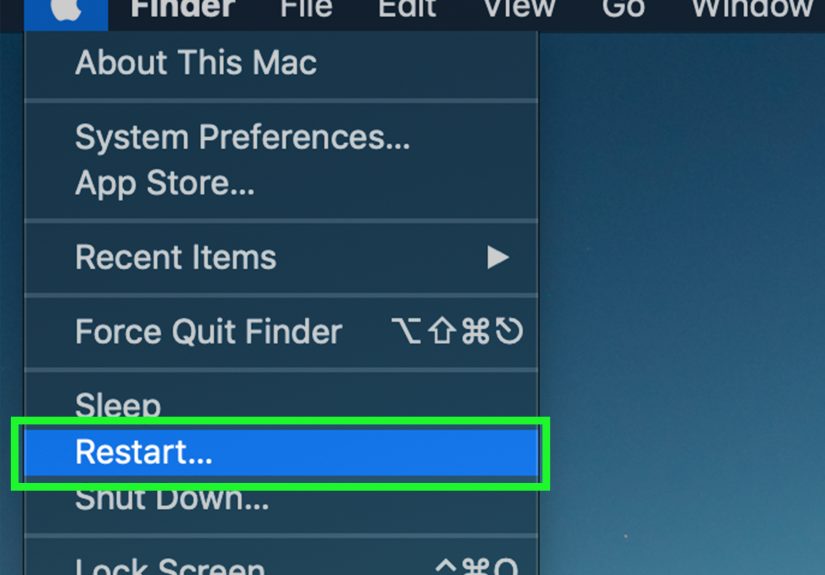
Yes, this old chestnut still works. A quick reboot can clear temporary bugs, memory issues, and minor connection hiccups. Turn off your modem and router, wait about 30 seconds, and turn them back on. Let them fully reconnect before testing again.
It is not glamorous advice, but neither is buffering at 11 p.m. Start here.
2. Move your router to a better spot
Router placement has a huge effect on Wi-Fi performance. A router hidden in a cabinet, shoved behind furniture, or sitting on the floor is basically trying to whisper through a wall while wearing a winter coat. Put it in a central, open area of your home. Raise it off the floor if you can, and keep it away from thick walls, metal objects, and other electronics.
If you live in a two-story home, aim for a central location that can spread signal more evenly. If you use mesh Wi-Fi points or extenders, place them halfway to the weak area rather than in the weak area itself. They need a strong signal to repeat a strong signal.
3. Switch to the right Wi-Fi band
Many modern routers use multiple frequency bands, usually 2.4 GHz and 5 GHz, and sometimes 6 GHz on newer gear. The 2.4 GHz band reaches farther but is usually slower and more crowded. The 5 GHz band is generally faster but works best at shorter range. The 6 GHz band can be even faster on compatible devices, but only over shorter distances and with the right hardware.
If you are near the router and want better performance for streaming, gaming, or work calls, connect to the faster band. If you are farther away and just need a stable connection, 2.4 GHz may be more reliable. Choosing the right band is one of those small changes that can make you feel suspiciously competent.
4. Reduce interference
Wi-Fi signals compete with more than walls. Microwaves, cordless phones, Bluetooth accessories, baby monitors, and neighboring networks can all interfere with performance. This is especially common in apartments, condos, and dense neighborhoods.
If your connection drops or slows in specific spots, interference may be the culprit. Moving the router, repositioning the device, or using a less crowded band can help. On some routers, changing channels manually may improve things too, though many newer routers handle this automatically.
5. Limit bandwidth hogs
One device can quietly devour your bandwidth while the rest of the house wonders why everything feels slow. Large game downloads, cloud backups, software updates, 4K streaming, and file sync tools are common culprits. Check what is running in the background on computers, phones, and smart TVs.
If your router supports Quality of Service, often called QoS, turn it on. This lets you prioritize important traffic like work calls, streaming, or gaming over less urgent tasks. In busy households, that can make the whole network feel faster even if your plan stays the same.
6. Use Ethernet for devices that matter most
Wi-Fi is convenient, but a wired Ethernet connection is usually faster and more stable. If you work from home, game online, or make frequent video calls, connecting your computer or console directly to the router can instantly improve reliability. It also frees some wireless capacity for the rest of your devices.
This is especially helpful when troubleshooting. If Ethernet is fast but Wi-Fi is not, you now know exactly where to focus your efforts.
7. Update your router firmware and device software
Old firmware can hurt performance, stability, and security. Check your router’s app or admin panel for updates. Then make sure your devices are current too, especially laptops, phones, tablets, and network adapters. Software updates often fix bugs, improve compatibility, and support newer Wi-Fi standards.
On Windows PCs, network resets and driver updates can also help when a single device is acting up. If one laptop is slow while every other device is fine, the laptop is waving a tiny flag that says, “It might be me.” Listen to it.
8. Secure your network
A poorly secured Wi-Fi network is not just a privacy problem. It can also be a speed problem. If unauthorized users or unknown devices are on your network, they may be using your bandwidth. Use a strong Wi-Fi password, enable modern security such as WPA2 or WPA3 if available, and keep your router’s default admin password changed.
It is also smart to review connected devices and remove anything unfamiliar. Guest networks can help keep visitors and smart devices separate from your main network.
9. Scan for malware and trim background clutter
Sometimes the internet is blamed for a problem caused by the device itself. Malware, browser bloat, too many extensions, aggressive VPN settings, or background apps can slow downloads and interfere with connections. Run a security scan, close unnecessary apps, and disable anything that constantly syncs or uploads in the background.
If your phone or laptop feels slow across the board, do not assume the router is guilty. Your device may just be having a rough week.
10. Upgrade old equipment
If your router is several years old, it may not support current Wi-Fi standards or handle modern household demand very well. Upgrading to newer hardware can improve coverage, efficiency, and speed, especially in homes with lots of devices. A mesh system may help in larger homes, while a newer standalone router may be enough for smaller spaces.
Just remember: a range extender or mesh setup usually improves coverage, not the raw speed coming into your home. That distinction saves a lot of disappointment and at least one dramatic speech directed at a blinking plastic box.
11. Check whether your internet plan still fits your household
If your wired speed consistently falls short of what you need, your plan may simply be too small for your household. A single person checking email does not need the same service as a family streaming, gaming, video calling, and backing up photos all at once.
Look at how many devices are connected regularly and what they are doing. If your home has become a mini command center with smart TVs, gaming consoles, cameras, tablets, laptops, and voice assistants, upgrading your speed tier may be the most practical fix.
12. Call your ISP when the evidence points outside your home
If your modem and router are placed well, your equipment is updated, Ethernet is still slow, and your speed tests fall short repeatedly, it is time to contact your internet service provider. Share your test results, the times you ran them, and whether the problem affects both wired and wireless connections.
The more specific you are, the faster the conversation usually goes. “My internet is bad” gets sympathy. “My wired speed drops from 300 Mbps to 40 Mbps between 7 p.m. and 10 p.m.” gets action.
Common Slow Internet Scenarios and the Best Fix
Scenario 1: The bedroom Wi-Fi is terrible
This usually points to a coverage issue. Move the router, add a mesh point, or use an extender placed between the router and the weak room. Switching bands may help too.
Scenario 2: Video calls freeze even though streaming seems okay
Look at upload speed, latency, and background usage. Pause cloud backups, close unused apps, and use Ethernet if possible. A stable connection matters more than flashy top speeds here.
Scenario 3: Everything slows down at night
This may be neighborhood congestion or a household traffic jam caused by streaming and downloads. Test both wired and wireless speeds during peak hours. If wired speed also drops, your ISP may need to investigate.
Scenario 4: One device is always slow
Check for software updates, network adapter issues, VPN conflicts, browser extensions, or malware. If every other device runs fine, stop interrogating the router and start investigating the problem child.
When “Slow Internet” Is Really “Bad Wi-Fi”
This is one of the biggest misunderstandings in home networking. Internet speed and Wi-Fi quality are related, but they are not the same thing. You can have fast internet and bad Wi-Fi. You can also have excellent Wi-Fi and a mediocre internet plan.
That is why the best troubleshooting approach starts with separating the two. Test the incoming service, test the wireless network, then test the individual device. Once you know which layer is causing the slowdown, the fix becomes much easier and much cheaper.
Experiences From Real-World Slow Internet Problems
In real homes, slow internet rarely shows up as a neat, technical problem with a neat, technical label. It usually shows up as frustration. Someone is trying to join a work meeting while another person is streaming a show upstairs. A teen is downloading a game update the size of a small moon. A smart TV is buffering. A phone works fine in the kitchen but acts like it entered another dimension in the back bedroom. That is how slow internet is usually experienced: not as a number, but as daily annoyance.
One of the most common experiences happens in apartments. The router is installed wherever the cable line comes in, which is often the least useful spot in the home. The living room gets decent service, but the bedroom and office feel like internet wilderness. People often assume their provider is the problem, when the bigger issue is placement and interference from surrounding units. In these cases, simply moving the router into a more open, central location or switching devices to the right Wi-Fi band can make a dramatic difference.
Another common experience comes from work-from-home households. A connection may look “fast” on a speed test, yet video calls still freeze or turn robotic. That often happens because upload speed is weak, latency is unstable, or background apps are quietly chewing through bandwidth. People are often surprised to learn that cloud sync, automatic updates, security scans, and backup services can sabotage a meeting without making much noise. Once those background tasks are paused and the work computer is moved to Ethernet, the internet suddenly stops acting like it has stage fright.
Families with lots of devices often experience slow internet as randomness. The connection seems fine in the morning, awful after school, and nearly unusable at night. In many cases, the household simply has too many devices competing at once. Smart speakers, cameras, tablets, phones, streaming sticks, gaming systems, and laptops all want a slice of the pie. The fix is usually not one grand gesture. It is a combination of smaller improvements: better router placement, a newer router, traffic prioritization, and being slightly less ambitious about running every connected device in the house at the same time.
There is also the experience of blaming the provider for everything, only to discover the real issue is aging equipment. An old router can limp along for years before anyone realizes it is the bottleneck. Upgrading to a newer router or mesh system often feels like getting a surprise home renovation, except cheaper and with fewer dust clouds.
The biggest lesson from real-world internet problems is simple: slow connections are often fixable. Not always instantly, and not always for free, but fixable. A little testing, a little patience, and a willingness to stop storing the router behind decorative objects can go a long way.
Conclusion
If you want to speed up a slow internet connection, start with the easy wins. Test your speed, reboot your equipment, move your router, reduce interference, manage bandwidth-heavy tasks, and keep your hardware updated. Those steps solve a surprising number of problems without requiring a bigger bill every month.
And if those fixes do not get you where you need to be, the next steps are clear: use Ethernet for important devices, upgrade aging gear, and talk to your ISP with real test results in hand. Internet problems can feel mysterious, but the solutions are usually more practical than magical. Your Wi-Fi may never become emotionally supportive, but it can absolutely become faster.