Table of Contents >> Show >> Hide
- What Are Clear Instructions?
- Why Clear Instructions Matter
- Start With the Reader, Not the Task
- Define the Goal Clearly
- Put Steps in the Right Order
- Use Numbered Lists for Step-by-Step Tasks
- Begin Steps With Strong Action Verbs
- Write in Plain, Specific Language
- Make Instructions Easy to Scan
- Include Examples When They Reduce Guesswork
- Tell Readers What Success Looks Like
- Add Warnings Before the Reader Needs Them
- Use Consistent Terms
- Test Your Instructions
- Common Mistakes to Avoid
- A Simple Template for Clear Instructions
- Real-World Experience: What Clear Instructions Teach You Over Time
- Conclusion
- SEO Tags
Clear instructions are the unsung heroes of everyday life. They help people assemble furniture without declaring war on an Allen wrench, submit forms without panic-refreshing the page, cook dinner without mistaking a teaspoon for a tablespoon, and use software without yelling at a perfectly innocent laptop. Whether you are writing a workplace process, a how-to blog post, a product manual, a training guide, or a simple email request, the goal is the same: help the reader do the right thing with the least amount of confusion.
Writing clear instructions is not about sounding fancy. In fact, fancy is usually the enemy. Clear instructional writing is practical, direct, organized, and reader-friendly. It respects the reader’s time. It removes unnecessary guessing. It answers the quiet questions people ask while following steps: “Where do I start?” “What do I need?” “What happens next?” and “Did I do this correctly?”
This guide explains how to write clear instructions that people can actually follow. We will cover planning, structure, word choice, examples, formatting, testing, and real-world lessons learned from instructions that worked beautifullyand a few that wandered into the fog wearing tap shoes.
What Are Clear Instructions?
Clear instructions are directions that explain a task in a way the intended reader can understand and complete. They are specific, organized, action-focused, and written in plain language. A good instruction does not make the reader decode hidden meaning. It says what to do, when to do it, where to do it, and what result to expect.
For example, “Configure the settings appropriately” is not clear. It sounds important, but it does not help much. A clearer version would be: “Open Settings, select Privacy, and turn on Location Services.” The second version tells the reader exactly where to go and what action to take.
Clear instructions often include numbered steps, short sentences, descriptive headings, examples, warnings, visuals, and troubleshooting notes. The best ones feel almost invisible because the reader is focused on completing the task, not wrestling with the wording.
Why Clear Instructions Matter
Unclear instructions waste time, create errors, frustrate users, and increase support requests. In workplaces, vague procedures can cause missed deadlines or inconsistent results. In healthcare, finance, education, software, and legal contexts, unclear directions can create serious consequences. Even in lower-stakes situations, poor instructions can turn a simple task into a scavenger hunt where the treasure is “finally understanding what step three meant.”
Clear instructions improve accuracy and confidence. They help new users learn faster, help experienced users move efficiently, and help organizations reduce repeated questions. Good instructions also make content more accessible because they support people with different reading levels, language backgrounds, abilities, devices, and attention spans.
Start With the Reader, Not the Task
Before writing instructions, ask one important question: who will use them? A beginner needs more context than an expert. A customer using a mobile app needs different details than an employee using internal software. A child learning a craft project needs different wording than a technician repairing equipment.
Think about what your reader already knows, what they might misunderstand, and what they are trying to accomplish. If your audience is broad, write for the less experienced reader without sounding childish. Plain language is not “dumbing down.” It is smart communication. It makes the content easier to understand quickly.
Questions to Ask Before You Write
- Who is the reader?
- What task do they want to complete?
- What do they already know?
- What tools, materials, permissions, or information do they need?
- Where are they likely to get stuck?
- What should success look like?
Answering these questions before drafting will save you from writing instructions that make sense only to the person who already knows the taskwhich is, unfortunately, a very common genre.
Define the Goal Clearly
Every set of instructions should have a clear outcome. The reader should know what they will accomplish before they begin. A strong title or opening sentence can do this quickly.
Weak goal: “Account Settings.”
Clear goal: “Change Your Account Password.”
The clear version tells the reader exactly what the instructions help them do. When possible, use action-oriented titles that begin with a verb: “Create a Budget,” “Install the App,” “Reset the Router,” “Bake the Potatoes,” or “Submit a Support Ticket.” This makes your instructions easier to scan and easier to find in search results.
Put Steps in the Right Order
Instructions should follow the actual order of the task. That sounds obvious, but many confusing guides fail because they mention important details too late. If the reader needs to download a file before opening a tool, say that first. If they need administrator access before changing a setting, mention it before step one, not after step seven when their soul has already left the building.
A useful structure looks like this:
- State the goal.
- List requirements or materials.
- Give warnings or important notes before the steps.
- Write numbered steps in chronological order.
- Explain how to confirm success.
- Add troubleshooting help if needed.
This structure works for many types of instructional content, from recipe posts to technical documentation.
Use Numbered Lists for Step-by-Step Tasks
If order matters, use numbers. Numbered steps tell readers that sequence is important. Bullets are better for lists where order does not matter, such as supplies, tips, or options.
Each step should usually include one main action. If you combine too many actions in one step, readers may miss something. Compare these two examples:
Confusing Version
“Open the dashboard, go to reports, pick the date range, export the file, rename it, and upload it to the shared folder.”
Clear Version
- Open the dashboard.
- Select Reports.
- Choose the date range you want to export.
- Select Export.
- Rename the file using this format: Month-Year-Report.
- Upload the file to the shared folder.
The clear version gives each action room to breathe. It also makes it easier for the reader to stop, check progress, and continue.
Begin Steps With Strong Action Verbs
Good instructions use direct verbs such as select, open, enter, attach, save, remove, copy, stir, fold, tighten, measure, or review. These verbs tell the reader what to do immediately.
Avoid vague verbs when a precise one would help. “Handle the document” is vague. “Upload the signed document” is clear. “Address the issue” is vague. “Restart the router and check the Wi-Fi light” is clear.
When writing digital instructions, use verbs that work across devices when possible. For example, “select” often works better than “click” because readers may be using a mouse, touchscreen, keyboard, or assistive technology.
Write in Plain, Specific Language
Plain language is one of the most important ingredients in clear instructions. Use familiar words. Keep sentences short. Avoid jargon unless your audience truly understands it. If technical terms are necessary, define them the first time they appear.
Instead of “utilize,” write “use.” Instead of “prior to initiating the process,” write “before you begin.” Instead of “ensure all relevant documentation has been appended,” write “attach all required documents.” Your readers will not miss the extra syllables. They may even send you a thank-you muffin.
Specific language also prevents mistakes. “Add a small amount of water” is less useful than “Add 2 tablespoons of water.” “Wait briefly” is less useful than “Wait 30 seconds.” “Choose the correct form” is less useful than “Choose Form W-9 if you are a U.S. contractor.”
Make Instructions Easy to Scan
Most people do not read instructions like a novel. They scan, jump, reread, and look for the next action. Help them by using visual structure.
Use These Formatting Tools
- Headings: Break the content into clear sections.
- Short paragraphs: Keep blocks of text manageable.
- Numbered steps: Show sequence.
- Bullets: Group related items.
- Bold text: Highlight labels, buttons, or essential terms.
- White space: Give the reader’s eyes a place to rest.
Scannable formatting does not make content less serious. It makes it more usable. A wall of text may look official, but so does a brick walland neither is especially helpful when someone is trying to find step four.
Include Examples When They Reduce Guesswork
Examples are powerful because they show the reader what you mean. Use examples for file names, form entries, email templates, calculations, measurements, or anything that might be interpreted in more than one way.
For example, instead of saying, “Use a clear subject line,” show one:
Good subject line: “Invoice Question for April 2026 Statement”
Weak subject line: “Question”
Examples should be realistic, short, and directly connected to the task. Avoid examples that introduce new confusion. The example should be a flashlight, not another hallway.
Tell Readers What Success Looks Like
One of the most overlooked parts of instructional writing is confirmation. After a reader completes the steps, how do they know they did it correctly?
Add a brief success signal when useful:
- “A confirmation message appears.”
- “The file name now appears in the Uploads folder.”
- “The dough should feel soft but not sticky.”
- “The router light turns solid green.”
This helps readers feel confident and reduces unnecessary repeating. Without a success signal, people may keep poking around, which is how settings get changed, files get duplicated, and printers develop mysterious personalities.
Add Warnings Before the Reader Needs Them
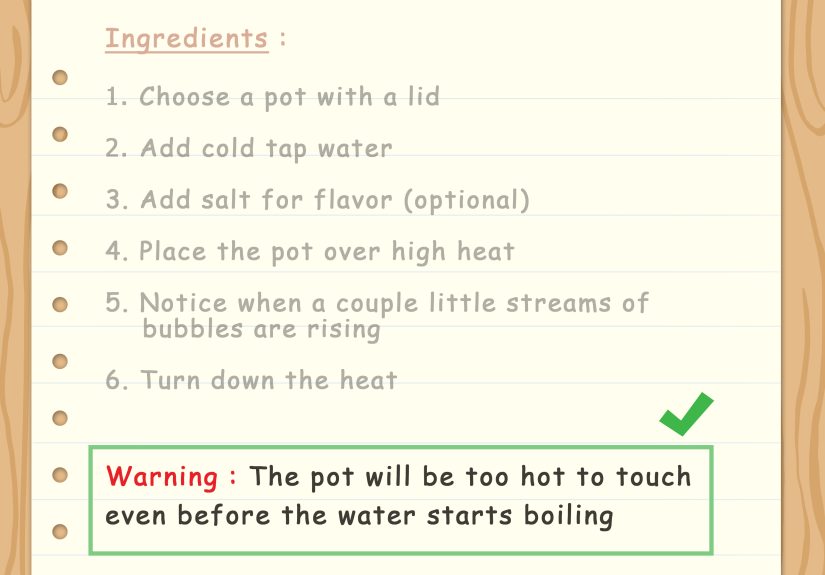
If something can go wrong, warn the reader before the step where it matters. Do not place a warning after the action. “Do not unplug the device during the update” belongs before the update begins. “Wear gloves before handling the cleaner” belongs before the cleaner appears in the process.
Warnings should be short, specific, and easy to notice. Avoid dramatic warnings for minor issues, but do not bury serious risks in ordinary paragraphs. If the reader could lose data, damage equipment, miss a deadline, or create a safety issue, make the warning impossible to miss.
Use Consistent Terms
Consistency is a quiet superpower. If you call something a “profile” in step one, do not call it an “account page” in step three unless those are different things. If a button is labeled “Save changes,” do not instruct the reader to select “Save” unless the interface actually says “Save.”
Inconsistent wording makes readers wonder if they missed something. Consistent wording builds trust. This is especially important in software instructions, training manuals, legal guidance, and forms.
Test Your Instructions
The best way to find confusing instructions is to watch someone use them. Choose a person who resembles your target reader and ask them to complete the task using only your instructions. Do not explain from the sidelines unless absolutely necessary. Your silence may feel awkward, but it is useful. Every pause, mistake, and question reveals where the instructions need improvement.
After testing, revise for clarity. Add missing steps. Remove unnecessary details. Improve headings. Replace vague words. Move warnings earlier. Add examples where people hesitated. Testing turns “this makes sense to me” into “this works for the reader,” which is the whole point.
Common Mistakes to Avoid
Skipping the Setup
If readers need materials, access, tools, ingredients, or information, list those items before the steps. Nobody enjoys reaching step six and discovering they needed a password, a screwdriver, or three hours of marinating time.
Using Insider Language
Every field has shorthand. The problem is that shorthand often excludes beginners. Spell out acronyms, define technical terms, and avoid internal nicknames unless your audience uses them too.
Writing Steps That Are Too Long
Long steps hide actions. Break complex instructions into smaller pieces. If a step contains “and” three times, it probably wants to become a few steps.
Leaving Out Edge Cases
If some readers will see a different screen, use a different tool, or follow a slightly different path, mention it. A short note can prevent a lot of confusion.
Forgetting Mobile Readers
Many people read instructions on phones. Keep paragraphs short, use descriptive headings, and avoid relying on wide tables or tiny screenshots when a simple sentence would work better.
A Simple Template for Clear Instructions
Use this template when you need to create a clear how-to guide:
Title
Start with the action and outcome. Example: “How to Reset Your Password.”
Overview
Explain what the reader will accomplish and when they should use the instructions.
Before You Begin
List materials, tools, permissions, time requirements, or important warnings.
Steps
- Start each step with an action verb.
- Put steps in the order the reader will complete them.
- Use one main action per step.
- Add examples or notes only when they help.
Check Your Work
Tell the reader how to confirm success.
Troubleshooting
Answer common problems or explain what to do next.
Real-World Experience: What Clear Instructions Teach You Over Time
Anyone who writes instructions long enough learns a humbling truth: readers are not confused because they are careless. They are usually confused because the instructions made an assumption. Maybe the writer assumed the reader knew where the menu was. Maybe the writer assumed everyone understood the acronym. Maybe the writer assumed “submit the form” was obvious, even though there were three blue buttons and two of them looked suspiciously submit-like.
One of the most useful experiences in writing clear instructions is watching someone follow a guide for the first time. A step that looked perfectly clear on your screen may suddenly reveal a missing detail. The reader pauses. Their mouse hovers. Their eyebrows perform a small emergency meeting. That moment is gold. It shows you exactly where the content needs help.
For example, imagine writing instructions for uploading a profile photo. You might write, “Go to your profile and upload an image.” That sounds simple until a new user asks, “Where is my profile?” A clearer version would be: “In the top-right corner, select your name. Then select Profile. Under your current photo, select Upload image.” The improved version follows the reader’s actual path. It does not teleport them to knowledge they do not have.
Another lesson is that examples often solve problems faster than explanations. If you ask employees to name files “correctly,” you will get twelve versions of correct, including one file called “final_FINAL_reallyfinal2.pdf.” If you provide a sample format“ClientName_ProjectName_YYYY-MM-DD”people can copy the pattern. Clear instructions reduce creativity in places where creativity is not helpful. Save the artistic freedom for the company picnic playlist.
Experience also teaches that shorter is not always clearer. A short instruction can still be vague. “Review the document” is short, but what does review mean? Should the reader check grammar, approve the budget, verify legal terms, or simply admire the font choice? A better instruction is longer but clearer: “Review the document for missing signatures, incorrect dates, and incomplete budget fields.” Clarity beats brevity when the details prevent mistakes.
Testing instructions with real users is another game-changer. Writers often discover that the first draft explains what the expert thinks about the task, not what the beginner needs to do. A tested draft becomes more practical. You add setup details. You move warnings earlier. You replace fuzzy verbs. You cut background information that does not help the reader act. The result is cleaner, calmer, and more useful.
The biggest lesson is that clear instructions are a form of kindness. They lower stress. They help people feel capable. They prevent avoidable errors. They make a process feel manageable instead of mysterious. Whether you are writing for customers, coworkers, students, patients, or readers on the internet, clear instructions say, “You can do this, and I will not make you fight the sentence to get there.” That is good writingand honestly, good manners.
Conclusion
Learning how to write clear instructions is one of the most useful communication skills you can build. Clear instructions help people take action with confidence. They begin with the reader, define the goal, follow a logical order, use plain language, and make each step easy to scan and complete. The best instructions also include examples, warnings, success signals, and troubleshooting support.
If your instructions are confusing, readers will either guess, give up, or ask someone else. If your instructions are clear, readers move forward. That is the magic: not fancy writing, not long explanations, not impressive jargonjust helpful words in the right order.
Note: This article is original, written for web publication in standard American English, and based on real guidance from reputable plain-language, UX writing, technical documentation, and educational writing resources.